
modelMultiDomainTypeV
Extends from Modelica.Icons.Example (Icon for runnable examples), OpenIMDML.Examples.BaseClasses.ValidationPartial2 (Partial model 2 for validation purposes).
Information
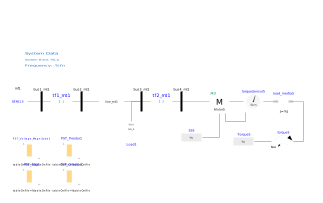
The example MultiDomainTypeV contains a multi-domain three-phase type V induction motor model which drives a mechanical load. The three-phase induction motor type V is based on the non multi-domain model from Milano, Federico. Power system modelling and scripting. Springer Science & Business Media, 2010.
In order to validate the multi-domain model, this validation example reproduces Example 11.7 Motor Startup from Chow, Joe H., and Juan J. Sanchez-Gasca. Power system modeling, computation, and control. John Wiley & Sons, 2020. The illustration in the book underwent slight modifications to accommodate a GENCLS model functioning as a generator (infinite bus model). The simulation outcomes, generated using the Power System Toolbox (PST) featured in the book's illustration, are organized in a table format. This facilitates users in comparing their Modelica simulations with the presented results.
The startup example from the book utilizes a three-phase type III induction motor . In this particular Modelica validation example, the idea is to test the more detailed model type V to compare results.
Simulate the system for 10 seconds. Variables of interest are:
Motor5.sMotor5.wrMotor5.PMotor5.QMotor5.Pmotor
PST Motor Startup Simulation Guide
If the user chooses to initiate a motor startup simulation in PST, proceed with the following steps:
- Download the PST software: PST;
- Extract the zip files;
- Place a copy of the MATLAB example files (PST_motor_startup_example.m and data_file_motor_startup.m) from the OpenIMDML Github repository to the PSTv3 folder (in the extracted PST folder);
- Run PST_motor_startup_example.m example in MATLAB and select the data_file_motor_startup.m data file;
- The simulation will initiate, continue following the steps displayed on the screen.